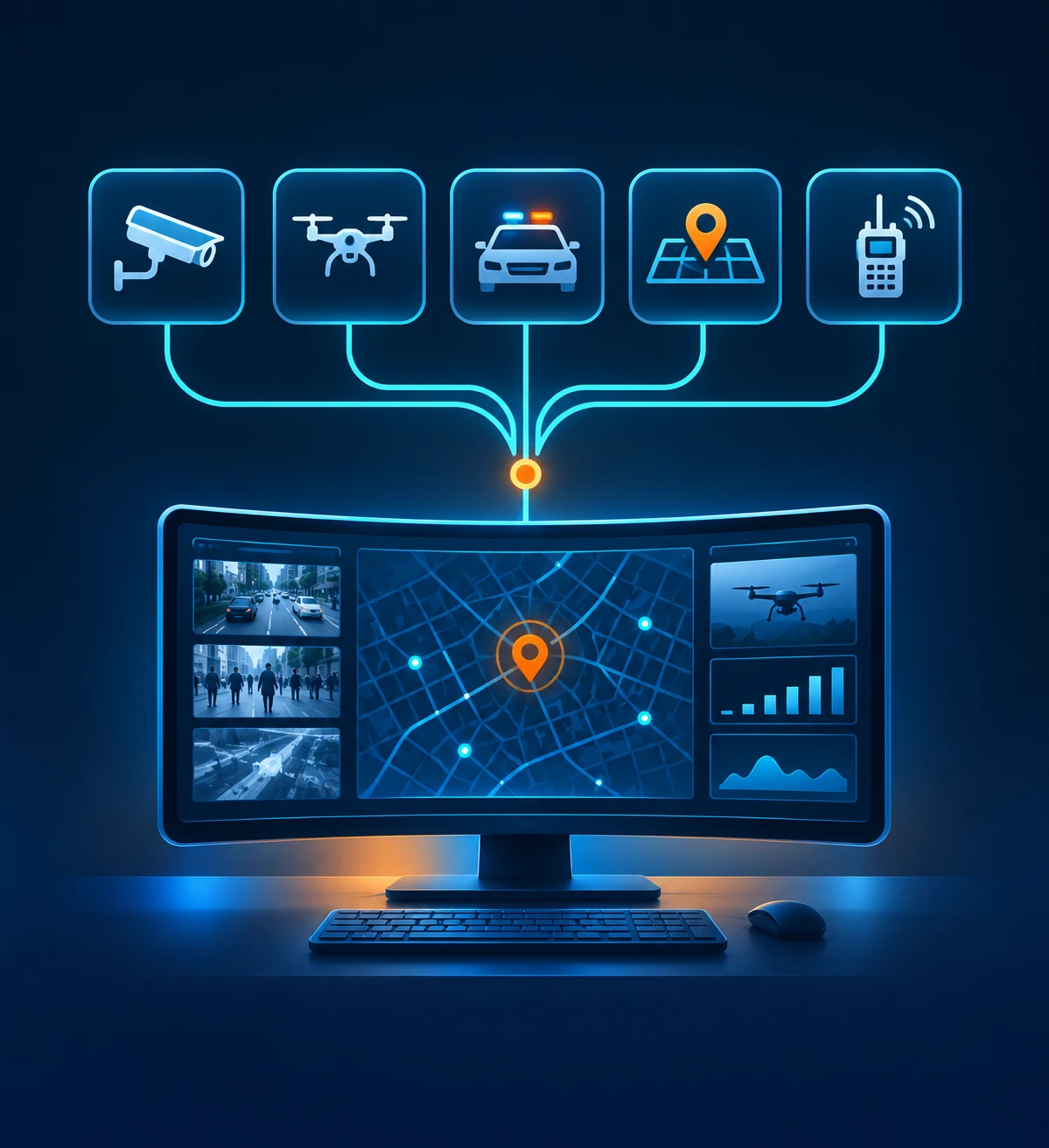
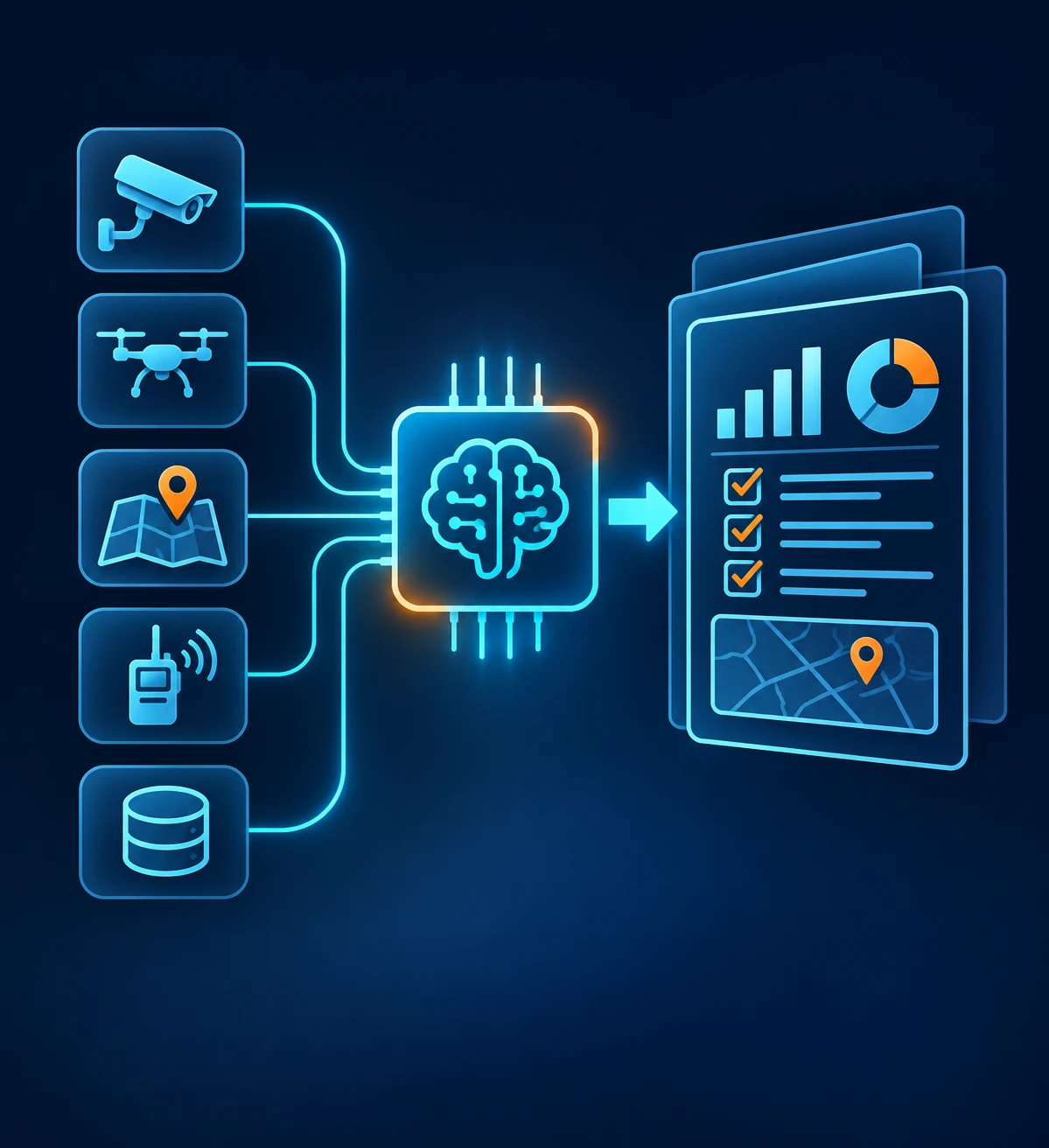
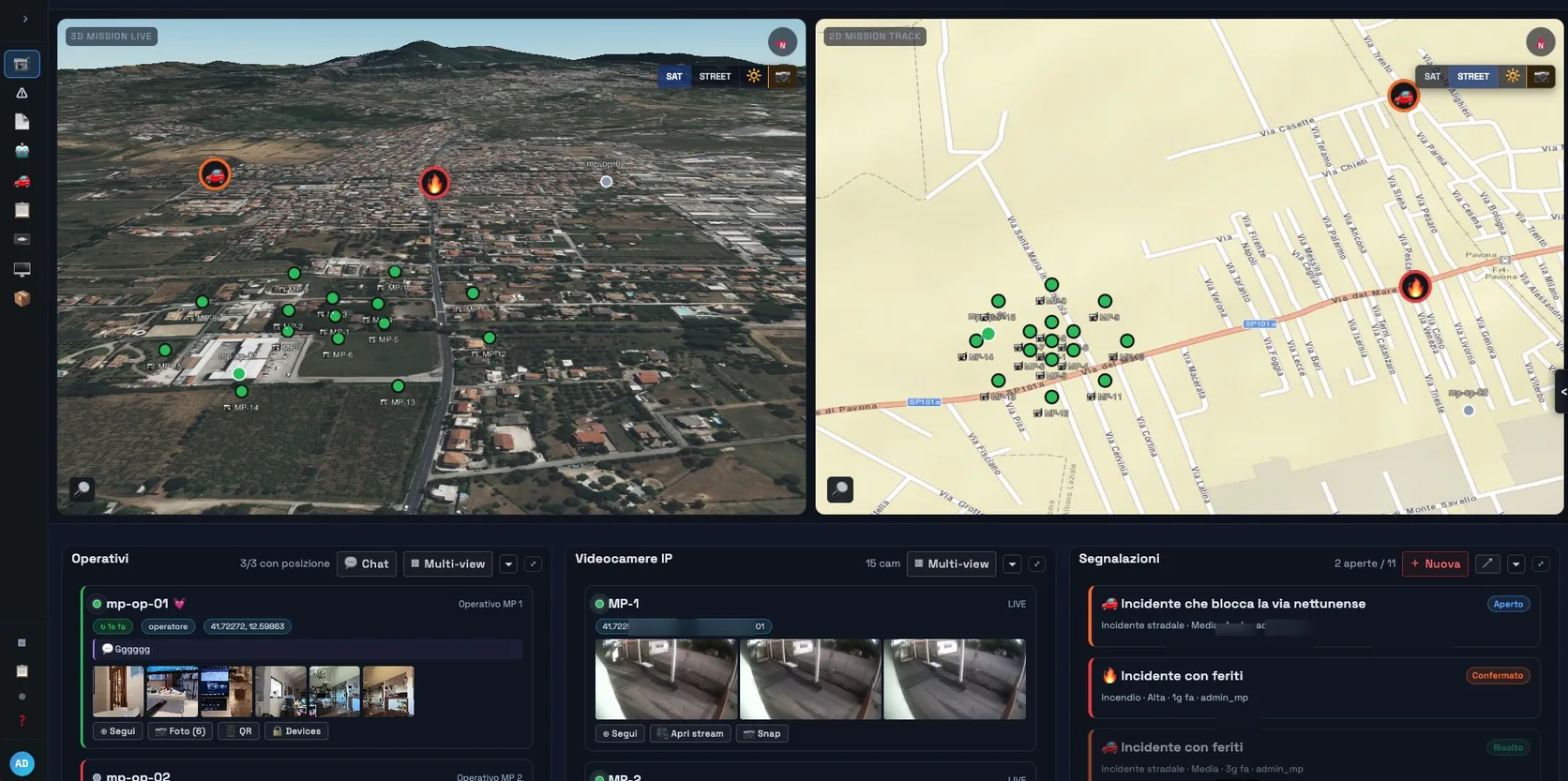
OpNET adds the Command & Control layer on top of the existing video surveillance stack: patrols, cameras, drones and targets on the same map, control-room↔field chat, live AI, replay of recordings. Plus operational management of the command center and its resources.
Five command challenges. Below, the five answers.
In Local Police commands, IP cams, NVRs and radios already exist. What stays disconnected is the command layer above. Here is where.
System fragmentation
Five consoles, a single dispatcher.
Cams, patrols and reports live in silos.
Today the control room has management software, NVR, radio, paper map, shift sheets: each with its own login and its own language. The dispatcher jumps between screens, patrols stay on the radio, no one sees both together in real time.
Monitoring by sight
Twenty cams, two eyes.
The event is discovered after, not during.
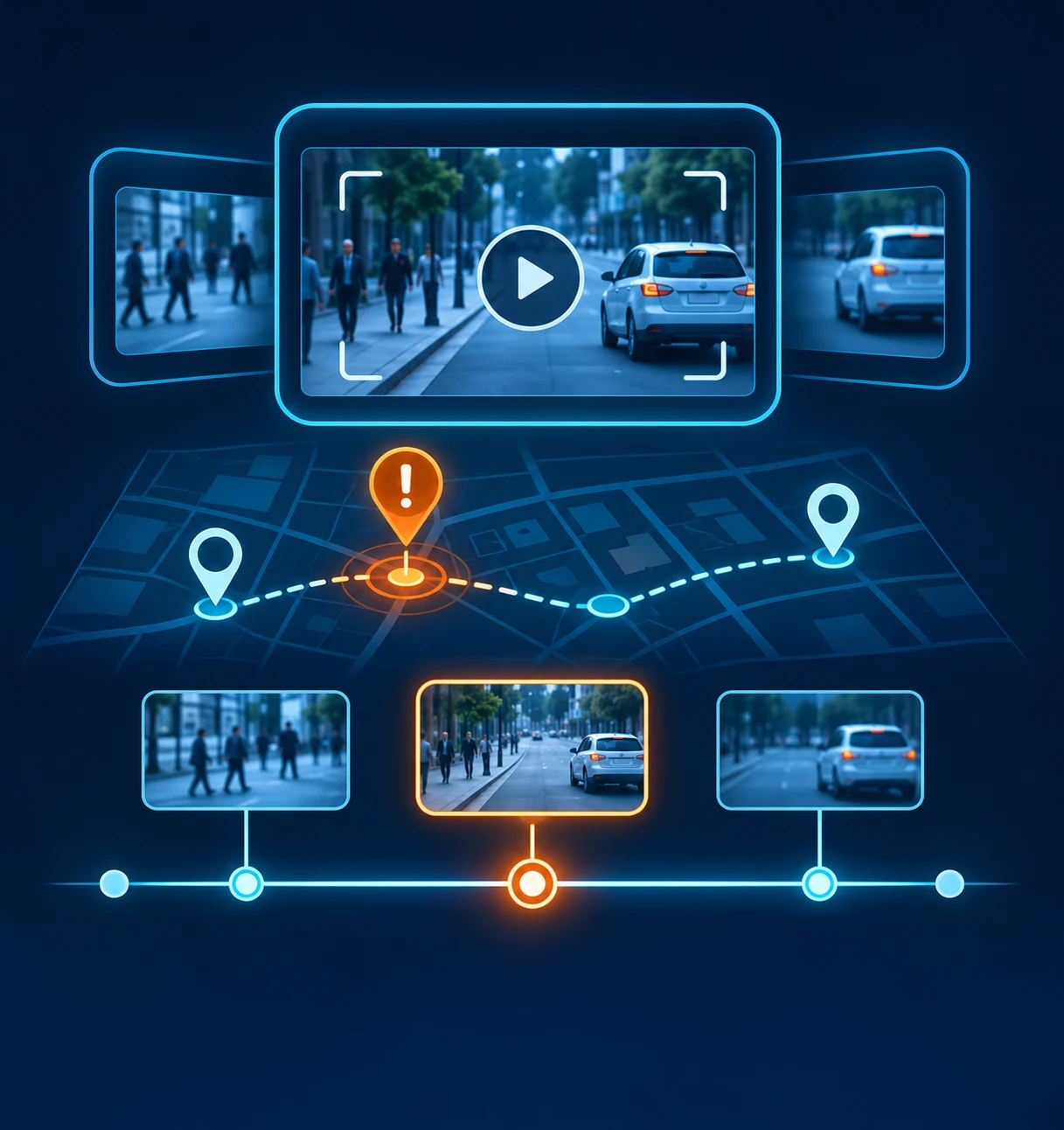
No dispatcher can monitor twenty cams of sensitive areas, intersections and schools without attention drops. Intrusions, illegal parking, suspicious people go unnoticed live. And in archive, reconstruction means scrolling hours of recordings, with no search tools.
Decision latency
Call, radio, minutes lost.
Who is closest? The radio doesn't say.
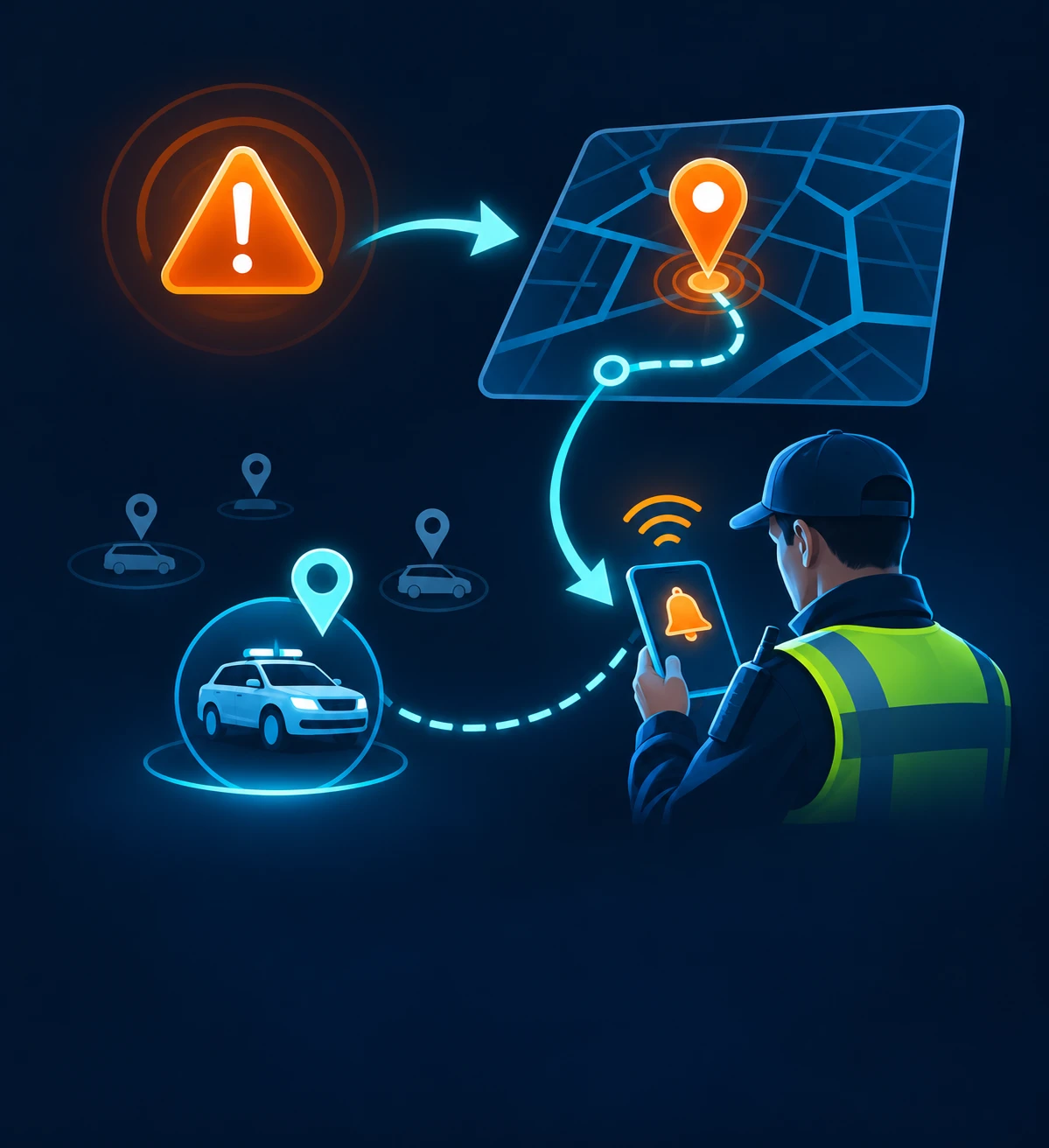
The citizen calls, the dispatcher takes notes, calls on the radio, patrols reply one by one, coordinate verbally about who covers what. No live position, no cam snapshot, no direct channel: the first minutes — the ones that count — go to coordination, not response.
Shift reconstruction
The shift lives in memory.
Debrief made of NVR clips and Excel sheets.
Reconstructing who was where, with which cam active, when what was asked: means downloading NVR, cutting clips, patching radio chat and notes. For the commander's debrief, for a judicial request, for GDPR audit: hours of manual work on scattered material.
Manual processes
The form beats the field.
Hours of back-office after every shift.
Daily zone reports, incident minutes, extractions for the commander, recurring forms, weekly reports for the prefecture: every shift ends with hours of typing. Time taken away from territorial presence, spent in compilation.
How OpNET solves it.
From the mission picture in the control room to the report workflow: every function on one screen.
Complete mission picture
Maps, operators, cams and reports in a live view.
The dispatcher coordinates without phone calls: zone chat, shared targets on the map, notifications on each patrol's phone. Faster decisions, no verbal sync.
Multi-view IP cameras
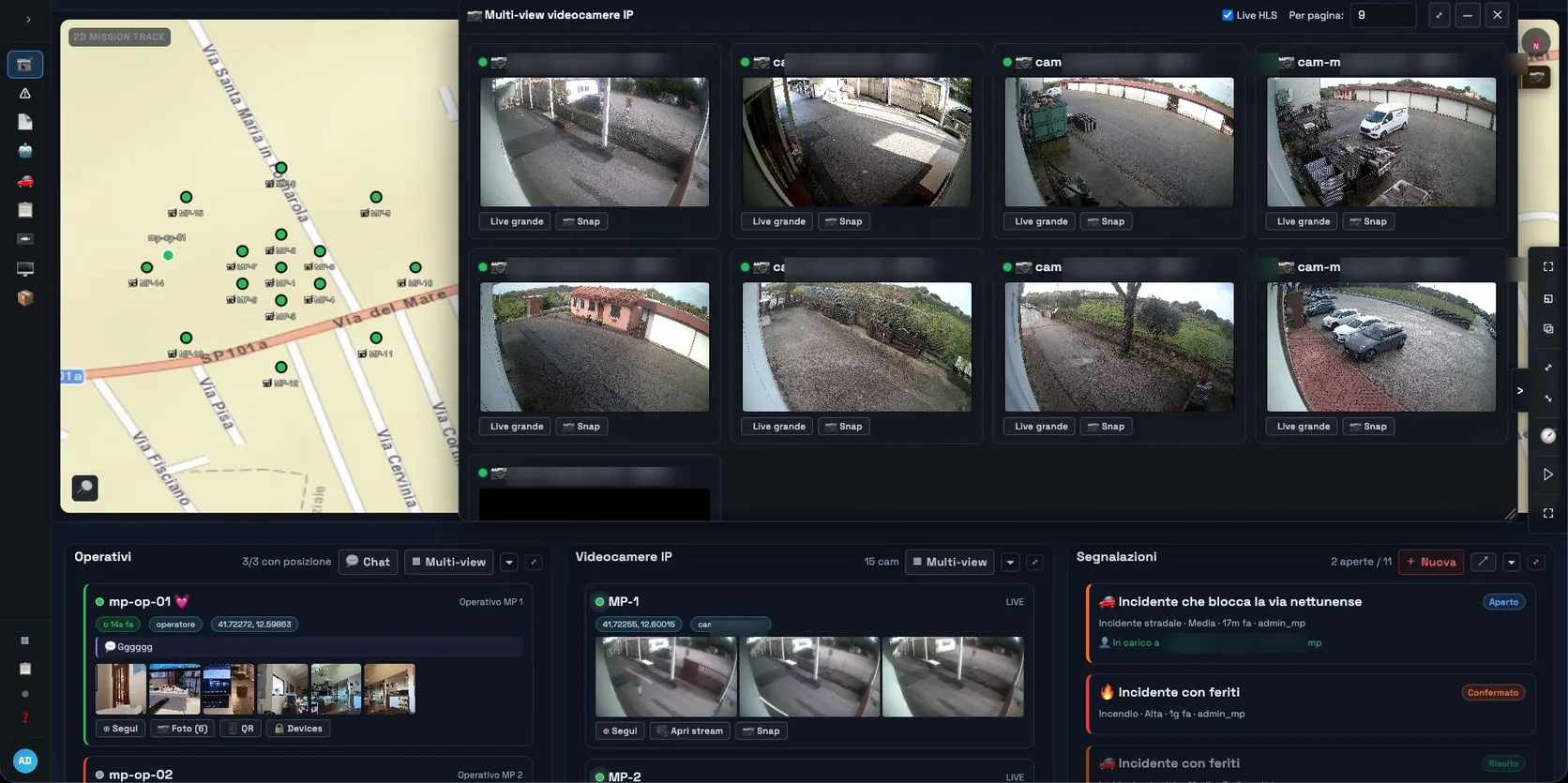
Live IP cam grid with snap and quick open.
Simultaneous supervision of cams in a single grid. Instant snap, enlarged view, live feed also on the street operator's phone.
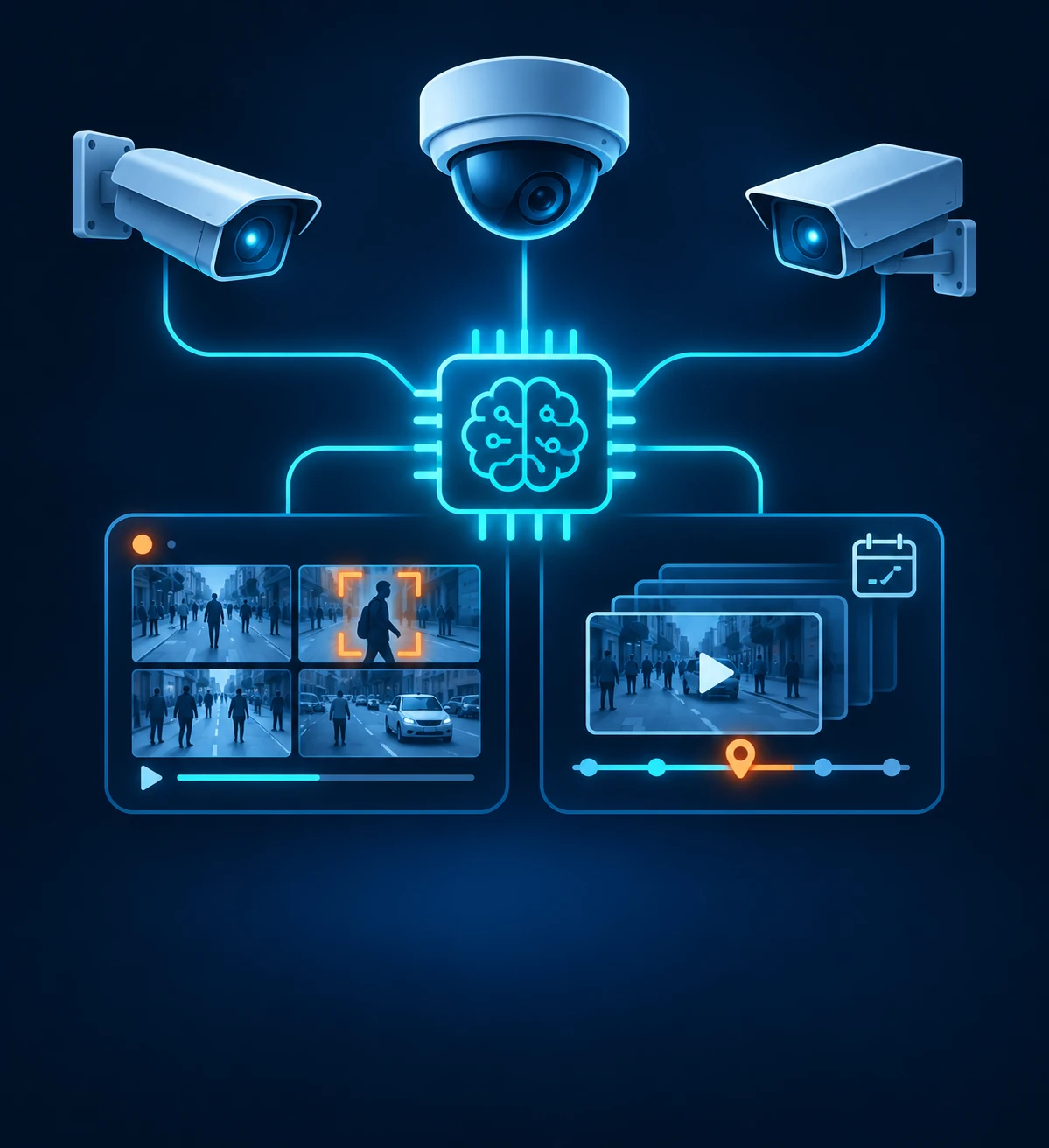
Live AI on strategic cams
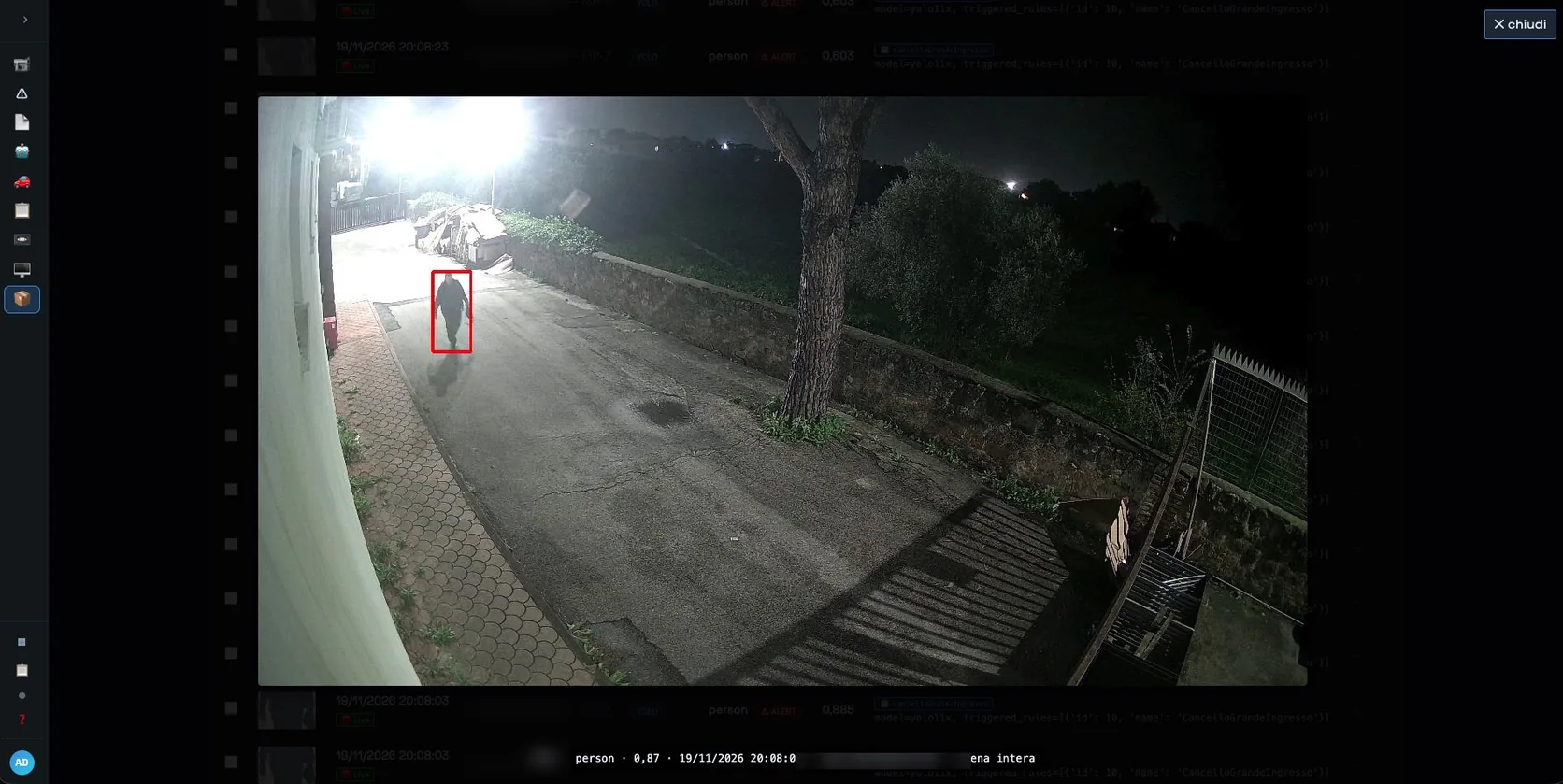
Automatic detection of people and vehicles, day and night.
AI watches the cams and sends alerts to the closest operator with snapshot. In the control room the event arrives after the operator, not before. Also at night, also on cams in backlight.
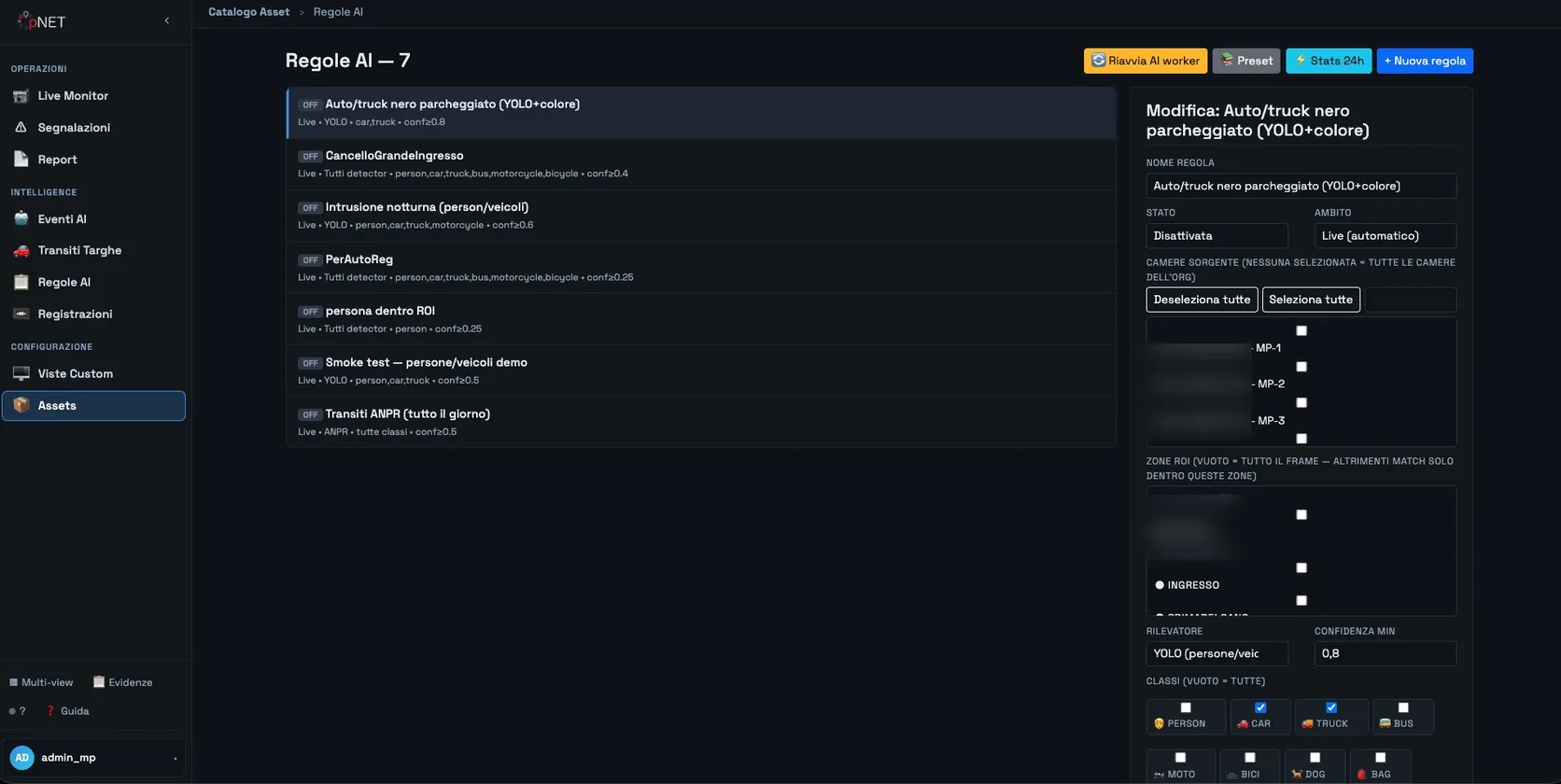
Configurable AI rules
Per cam, zone of interest, type and schedule.
Each cam can have specific rules: zones of interest (where to detect), types to detect (people, vehicles, heavy vehicles…), confidence threshold, active schedule. Ready-made and customizable presets.
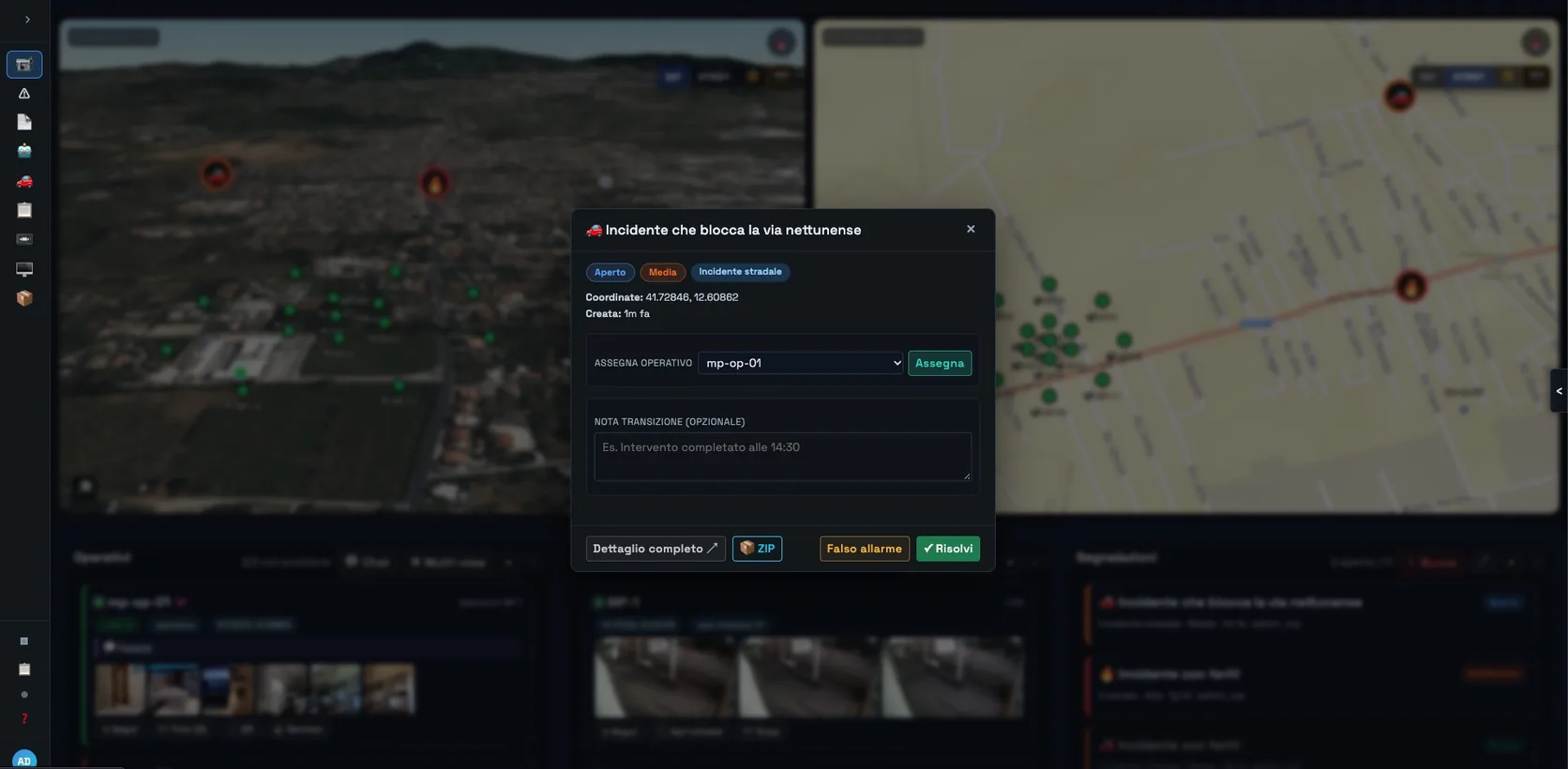
Reports on the live map
A click on the map, assign the closest patrol.
The geolocated report becomes an icon on the map. From the modal: assign operator, add note, resolve or mark as false alarm. Without leaving the live view.
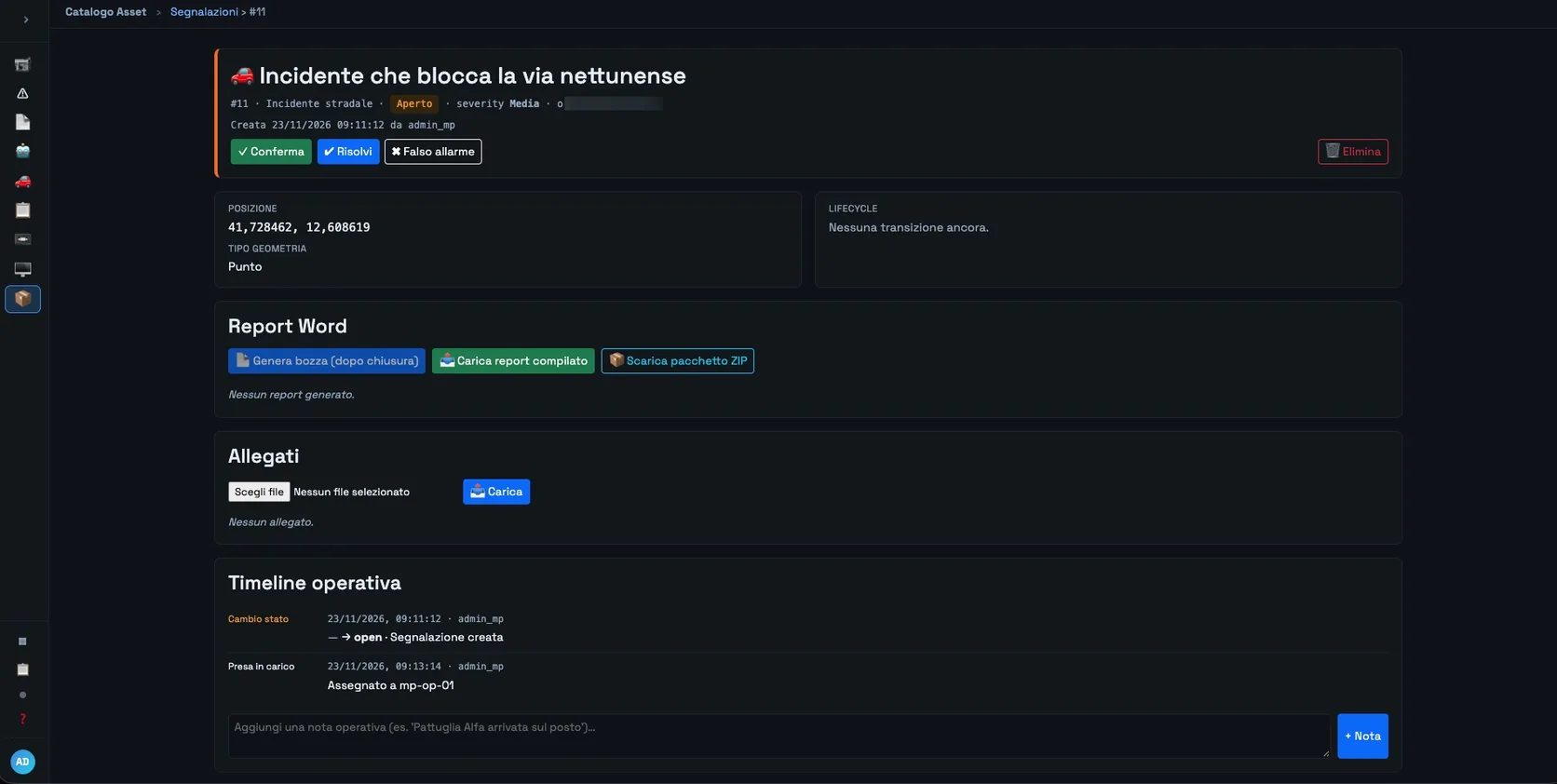
Report workflow
Operational timeline + Word Report ready at shift end.
Tracked lifecycle: opening, confirmation, assignment, closing. Word Report generated as draft, photo and video attachments, exportable package for the prefecture. Full audit of every step.
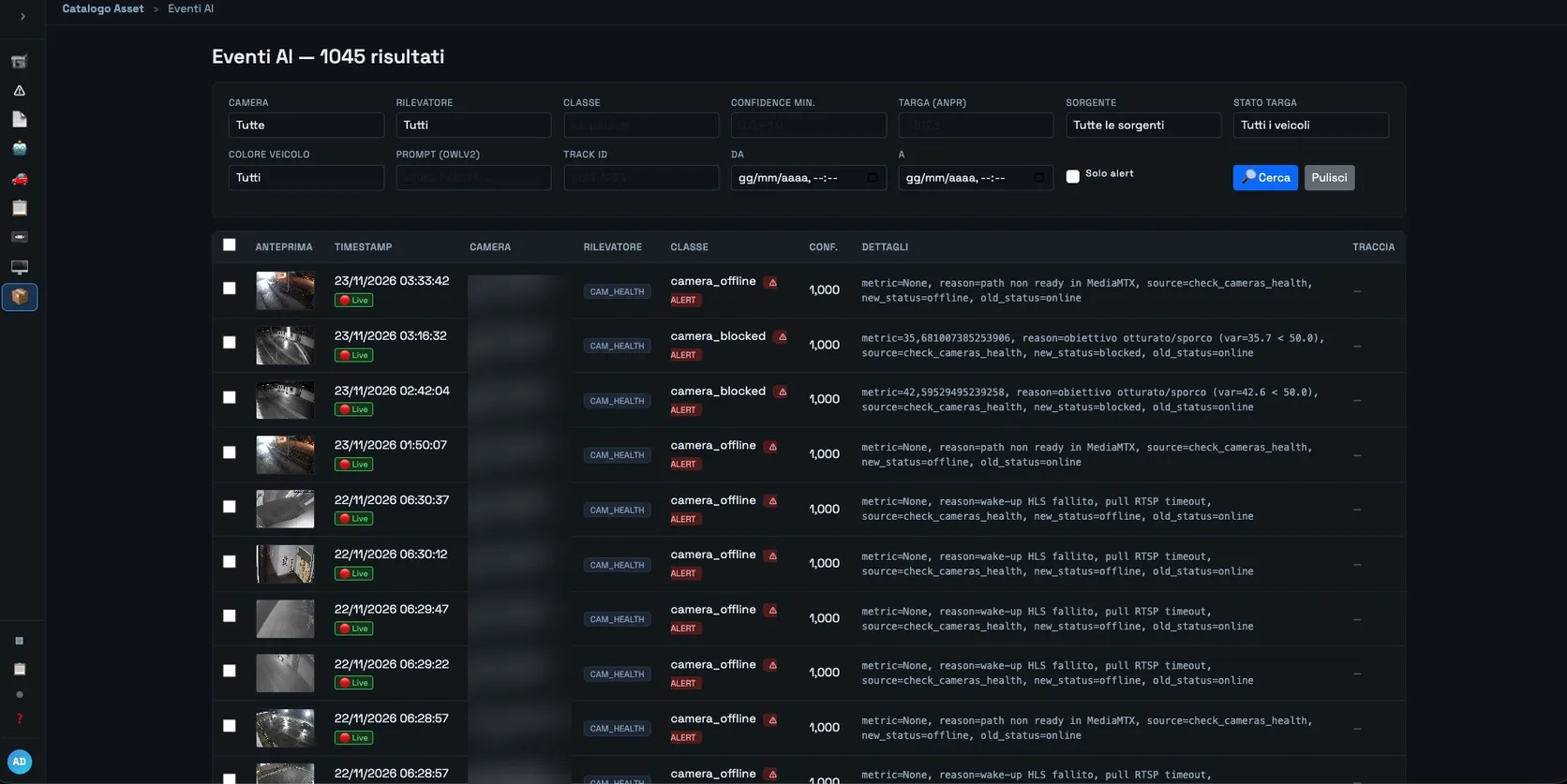
AI events with advanced filters
The history of each detection: type, cam, plate, date.
Search on recordings by type (person, car, motorbike…), vehicle color, plate. For incident review, debriefing and judicial requests.
Manage the control room and the command. From OpNET.
OpNET also covers the administrative and organizational functions of the Local Police Command, today delegated to third-party software. A single platform for the room, dispatchers and the commander.
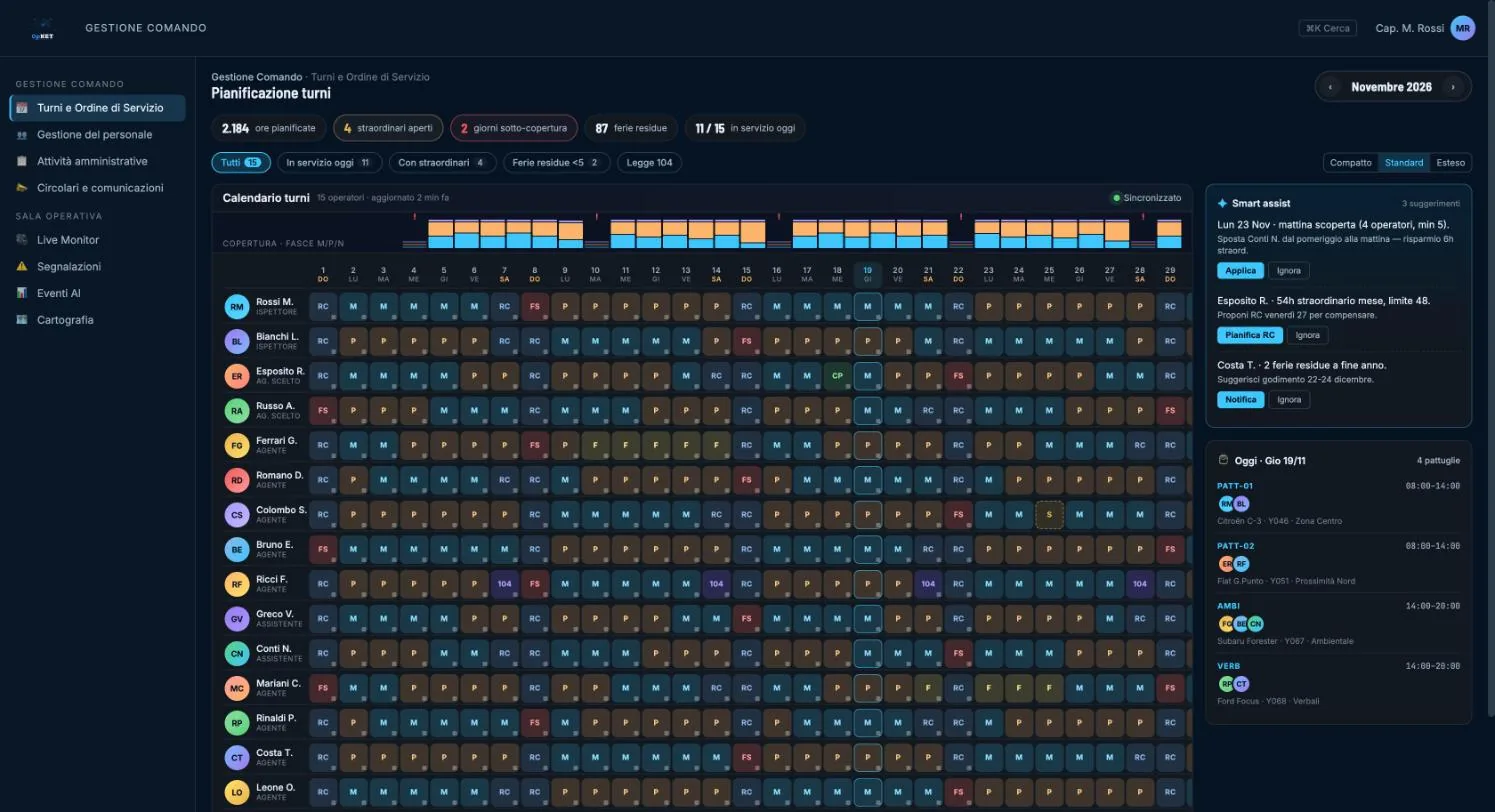
Shifts and Duty Order
Matrix calendar, crews, daily PDF.
Monthly matrix shift calendar with colored codes, sort by seniority or rank. Patrol composition with operators, vehicle, radio, zone, time slot. Daily Duty Order exportable as PDF per unit.
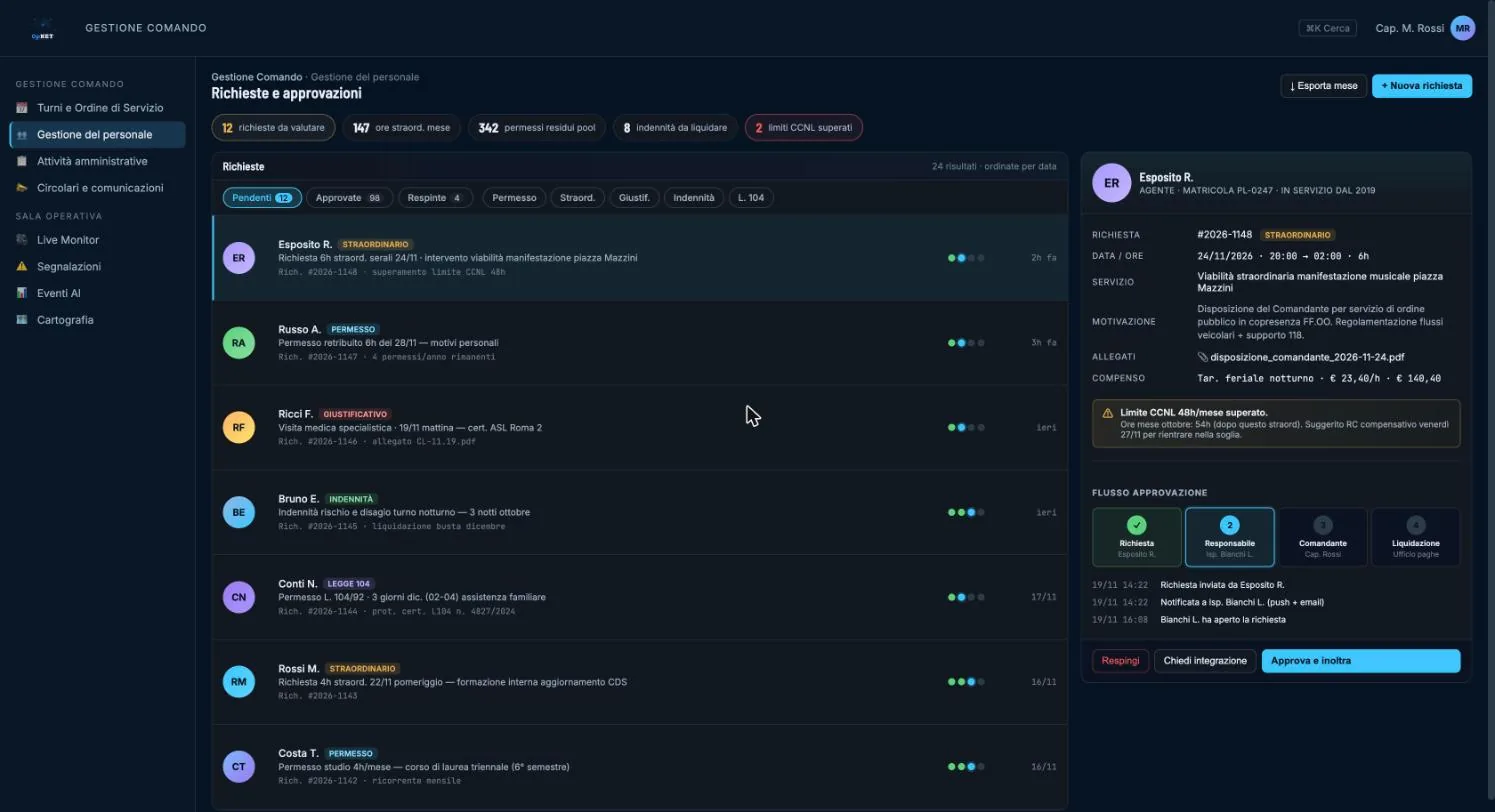
Personnel management
Leave, permits, overtime, allowances.
Leave with approval workflow, permits, rest pairing, overtime, allowances. Automatic summary of service hours per operator and group. Cascading approvals (operator → supervisor → commander).
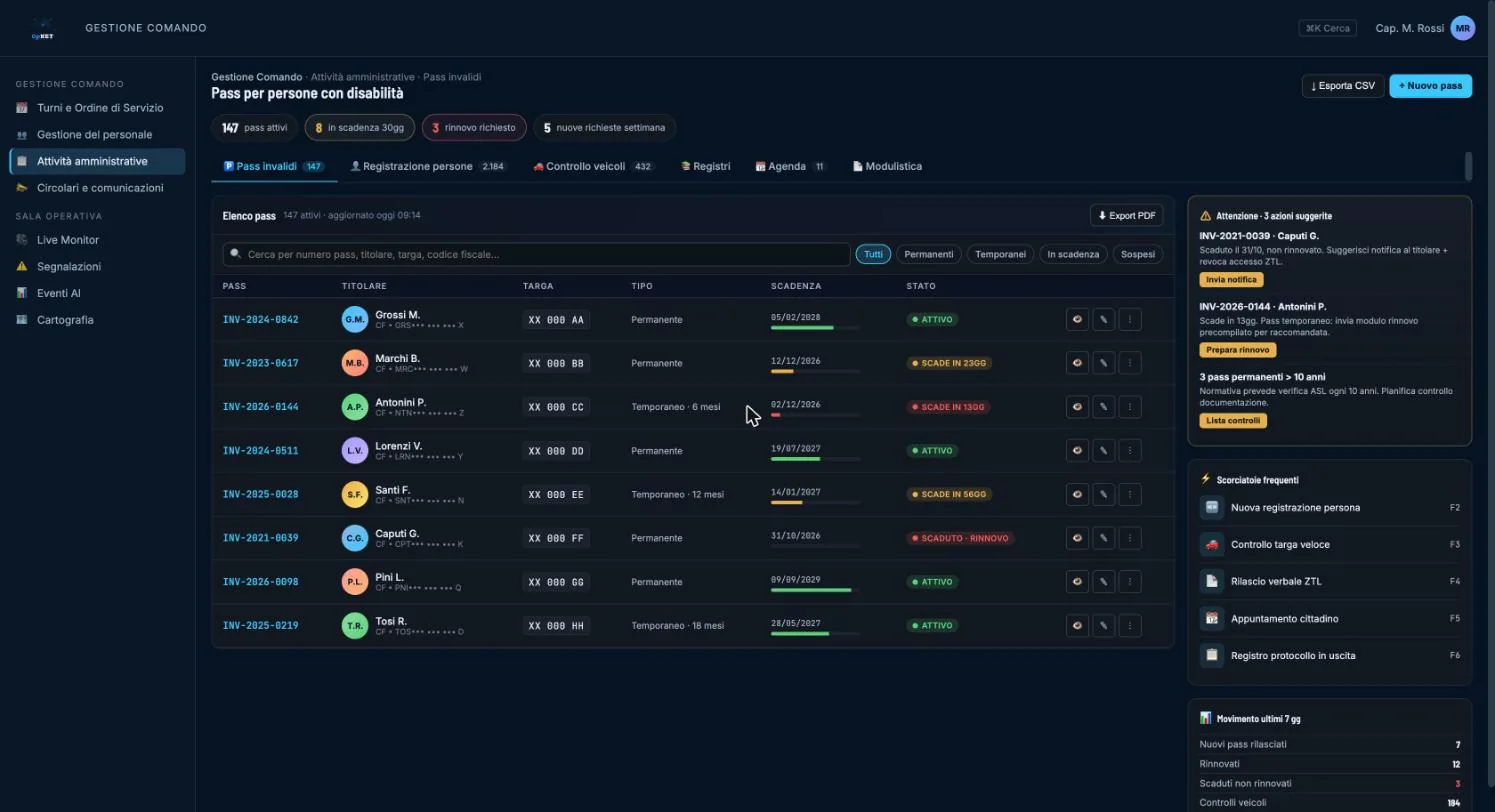
Disability permits with types, motivations and expiry. Person registration, vehicle and person checks, administrative registers, appointment agenda, recurring forms. All daily practices of the Command's front office.
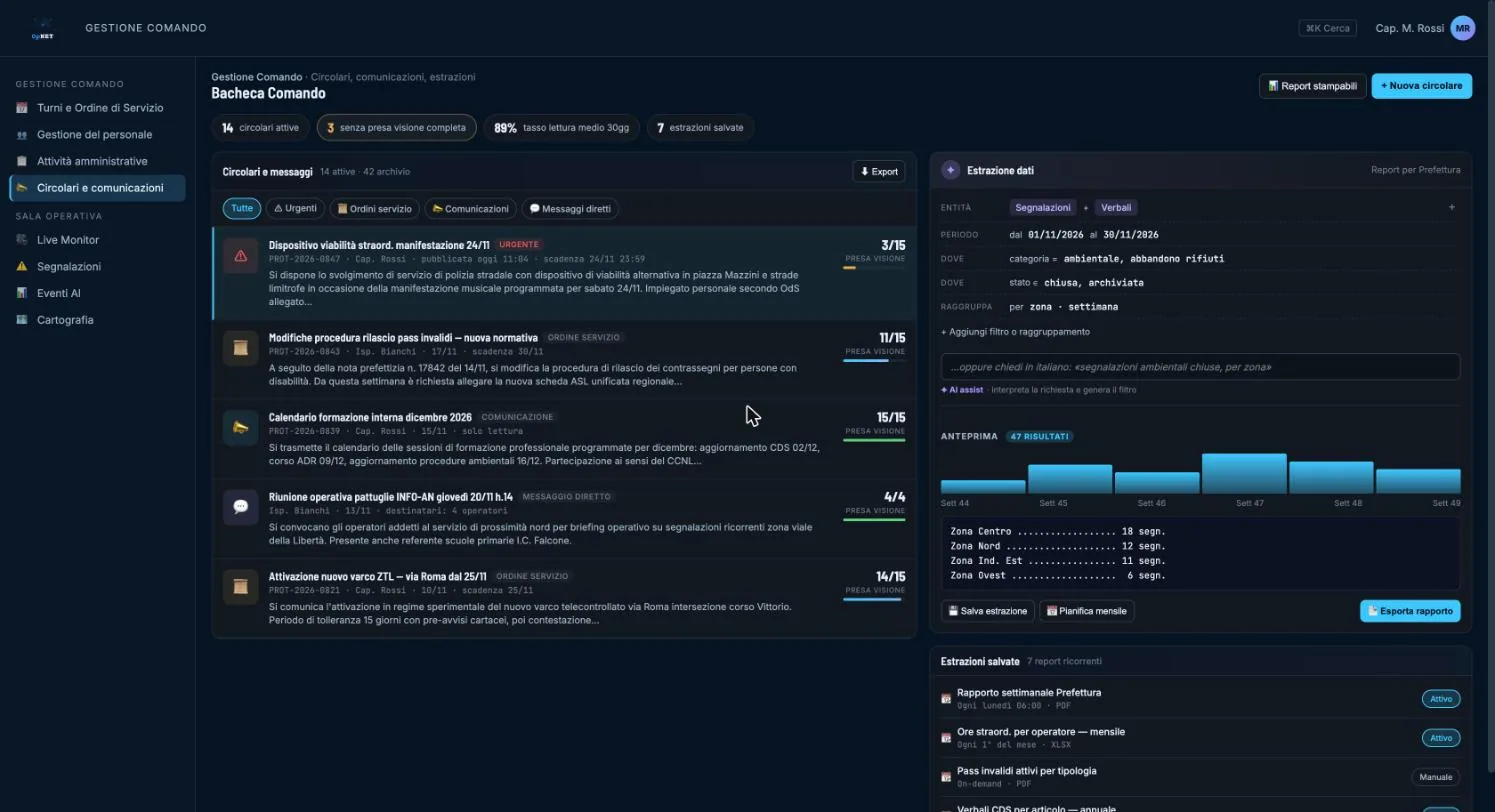
Circulars, communications, extractions
Internal board, automatic reports, query builder.
Circulars and board with acknowledgement confirmation, operator messages, reports and automatic reports on services delivered and personnel exportable for the Agency's leadership. Custom extractions on Command data for Prefecture and Region.
A single system to support the operations room and the Command. Investments already made are leveraged, not replaced.